2 Weeks of Android
📆 16 Oct 2026 16:30 UTC +01:00
📕
807
words ⏳ 6 min.
Wow, it’s been two weeks already. Two weeks ago, I got my new phone - a Google Pixel 11. And those two weeks have been so freeing; compared with my experiences on iOS. In these two weeks, I have gone from not touching anything in terms of customisation, to now having a fully customised launcher and my workflow is now significantly different from just twelve days previously.
Launcher
I mentioned that the launcher I use has changed since my last blost at the very beginning of my Android journey. Previously, I was using the default Pixel launcher.
After a quick toot on the Fediverse, and a good fedifriend saying so, I am now using KISS launcher.
KISS is a really simple, minimalistic launcher, with a selection of core gestures which can be customised to a limited number of things, but… those options are great. The available options are:
- Display keyboard
- Hide keyboard
- Display notification shade
- Display quick settings
- Display apps list
- Display history
- Display menu
- Go to homescreen
- Launch…
And the gestures available are:
- Swipe up
- Swipe down
- Swipe left
- Swipe right
- Long press
And here are the gestures I have setup.
| Gesture | Action |
|---|---|
| Swipe up | Display keyboard |
| Swipe down | Display notification shade |
| Swipe right | Display apps list |
| Swipe left | Hide keyboard |
| Long press | Display history |
These gestures are working well for me so far, but of course if I find a better way to do things, I will change these.
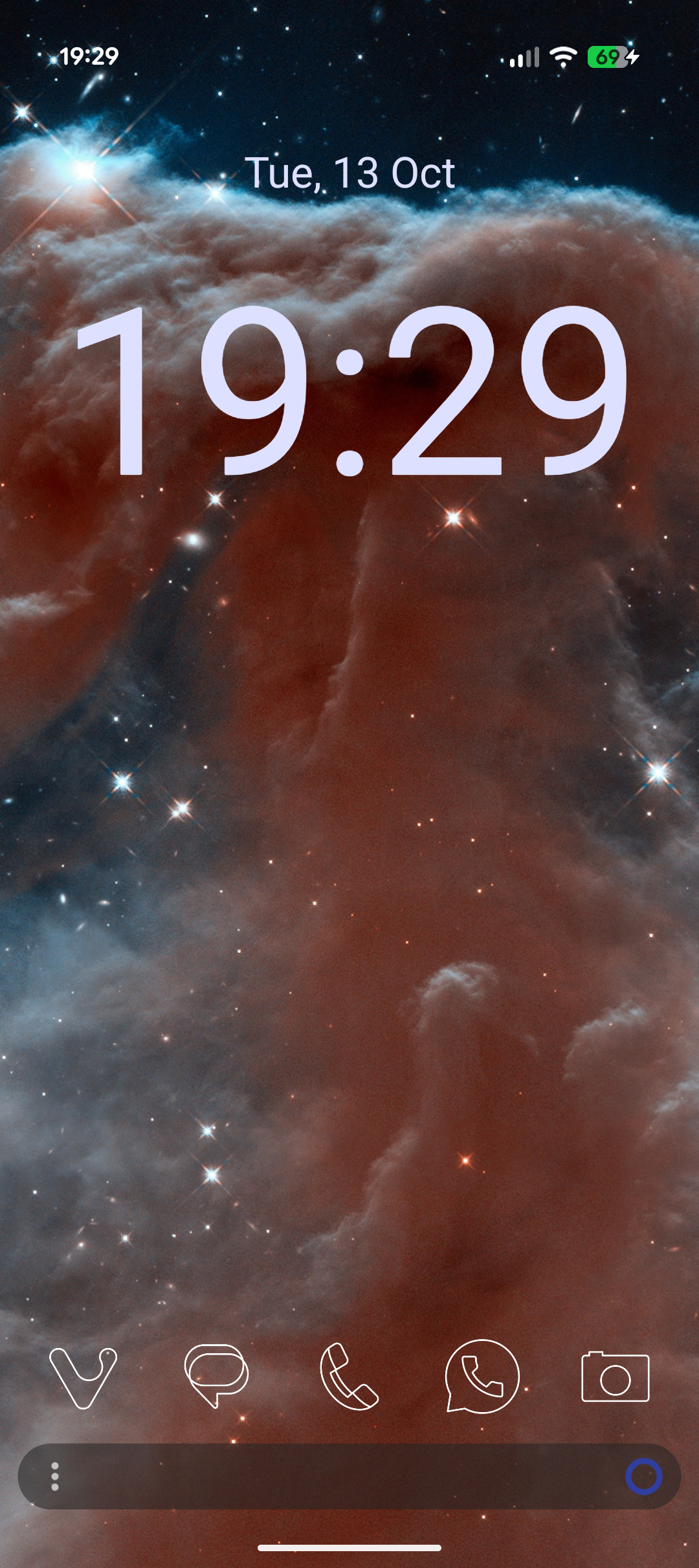
This is my homescreen, the wallpaper is temporary, I want to change it soon, but I haven’t found the right picture yet.
My homescreen features the date at the top, the time just below that. At the bottom, I have a row of “favourite” applications, for me these are the ones I need to have quick access to: Vivaldi (my default web browser), Messages, Phone (both default Google apps, and that’s fine), WhatsApp (some work people contact me through this) and Camera (because I love taking pictures).
I have also changed the icons theme that I’m using, I’m now using Articons, as recommended by Joel. I love the aesthetic of these icons, kudos to the team of contributors, including Joel.
Apps
Since my last blost, here’s what apps I’m using.
- Vivaldi (as my default web browser)
- Vivaldi Snapshot (for testing)
- Chrome/Firefox (as a secondary web browser)
- Messages, Phone, WhatsApp (for communicating with IRL people)
- Signal and Discord (for talking with my online friends and communities)
- AntennaPod (for podcasts)
- YouTube (for consuming videos)
- Google Keep (for personal notes)
- Quillpad/Nextcloud Notes (for notes not to do with my personal life)
- Termux (for all things terminal, not yet setup, but I am hoping to be able to build and deploy my website from my phone)
- Calendar (Google Calendar to manage my time)
- Duolingo (because why not, I keep trying to learn languages other than English to broaden my horizons)
And of course I’ve got other apps that are more personal, such as my mobile banking app, personal email app, work emails/Teams and various authenticator apps, plus all the defaults like Calculator, Tasks, Clock, Contacts, etc.
Workflow
I have also setup a couple of Do Not Disturb modes.
First, Chill Mode, this is set to automatically come on between 16:30 and 19:00 on Monday through Friday, to give me a little chill time after work. This mode darkens the wallpaper and silences all notifications, other than Messages from my immediate family and any phone calls.
Next is the bedtime mode. I have it set to come on automatically at 22:00, it darkens the wallpaper, silences notifications except immediate family and sets the display to greyscale, to reduce eye strain with use at night, not that I use my phone overnight. I also use this mode’s automatic enabling to tell me to put my phone down. This mode automatically disables at 06:00, which is when I get up during the week for work.
Conclusion
Well, that was a journey. It’s been two weeks exactly since I got my phone and here we are. It’s been a great experience so far, I don’t have anything to complain about. I am definitely going to spend more time looking at various customisations that I can still do, but that’s all so far.
I hope you’ve enjoyed, that’s going to be it for this one. BYEEE!!!
Comments
If you have something to say, leave a comment, or contact me ✉️ instead
← Leaving Apple's Walled Garden